In the realm of graphic design, vector design stands as a powerful tool that brings imagination to life with precision. From creating intricate logos to crafting captivating illustrations, the world of vector design offers endless possibilities. Let's delve into the realm of vectors and unlock the secrets of this fascinating design approach.
Vector design revolves around the use of mathematical equations to create scalable graphics that retain clarity and sharpness at any size. By understanding the principles and techniques behind vector design, designers can unleash their creativity with unmatched precision.
Introduction to Vector Design
Vector design involves creating digital images using mathematical equations that define shapes, lines, and colors. Unlike raster graphics, which are made up of pixels, vector graphics can be scaled infinitely without losing quality.
Benefits of Vector Graphics
- Scalability: Vector graphics can be resized without losing quality, making them ideal for logos and illustrations.
- Editing Flexibility: Objects in vector graphics can be easily edited, reshaped, or recolored without affecting the overall quality.
- Small File Sizes: Vector files are typically smaller in size compared to raster images, making them easier to share and store.
Popular Software for Vector Design
- Adobe Illustrator: Widely used in the design industry, Illustrator offers a wide range of tools for creating vector graphics.
- CorelDRAW: Another popular choice for vector design, CorelDRAW provides powerful features for creating illustrations and layouts.
- Inkscape: A free and open-source software, Inkscape is a great option for those looking for a cost-effective solution for vector design.
Principles of Vector Design
Vectors are a fundamental aspect of graphic design, offering unique advantages compared to raster images. Understanding the principles of vector design is crucial for creating high-quality, scalable graphics.Vector images differ from raster images primarily in how they are constructed. While raster images are made up of pixels arranged in a grid, vector images are created using mathematical equations.
This means that vector graphics are defined by points, lines, curves, and shapes rather than pixels. As a result, vectors can be scaled up or down infinitely without losing quality, making them ideal for logos, illustrations, and other graphics that need to be resized without distortion.
Difference Between Vector and Raster Images
- Vector images are based on mathematical equations, while raster images are made up of pixels.
- Raster images can lose quality when scaled up, while vector images maintain crispness at any size.
- Vector images are typically smaller in file size compared to raster images, making them easier to work with and share.
How Vectors are Based on Mathematical Equations
- Vector graphics use mathematical formulas to define shapes and paths.
- Each element in a vector image is represented by coordinates and mathematical relationships.
- This mathematical approach allows for precise control over the design and enables seamless scalability.
Scalability in Vector Design
- Vector graphics can be resized without loss of quality, making them versatile for various applications.
- Whether a vector graphic is displayed on a small business card or a large billboard, it will maintain sharpness and clarity.
- This scalability feature is particularly valuable for logos and branding materials that need to be adaptable to different sizes and resolutions.
Tools and Techniques for Vector Design
When it comes to vector design, utilizing the right tools and techniques is essential for creating high-quality graphics. Let's explore some common tools used in vector design software, the process of creating shapes and paths, and tips for an efficient workflow.
Common Tools in Vector Design Software
- Pen Tool: This tool is fundamental in creating precise shapes and paths by placing anchor points and adjusting curves.
- Shape Tools: Tools like Rectangle, Ellipse, and Polygon make it easy to create basic geometric shapes quickly.
- Gradient Tool: Used to apply gradients to shapes, creating depth and dimension in designs.
- Selection Tool: Allows you to move, resize, and manipulate objects within your design.
Creating Shapes and Paths in Vector Design
- Start by selecting the Pen Tool and placing anchor points to define the shape you want to create.
- Adjust the curves and angles of the path by dragging the handles of the anchor points.
- Utilize the Shape Tools to quickly create basic shapes and customize them to fit your design.
- Combine shapes and paths to create complex designs by using tools like Pathfinder in Adobe Illustrator.
Tips for Efficient Workflow in Vector Design
- Organize your layers and groups to keep your design clean and easily editable.
- Use shortcuts and hotkeys to speed up your workflow and perform actions quickly.
- Utilize grids and guides to align objects precisely and maintain consistency in your design.
- Regularly save your work and use version control to prevent any loss of progress.
Applications of Vector Design
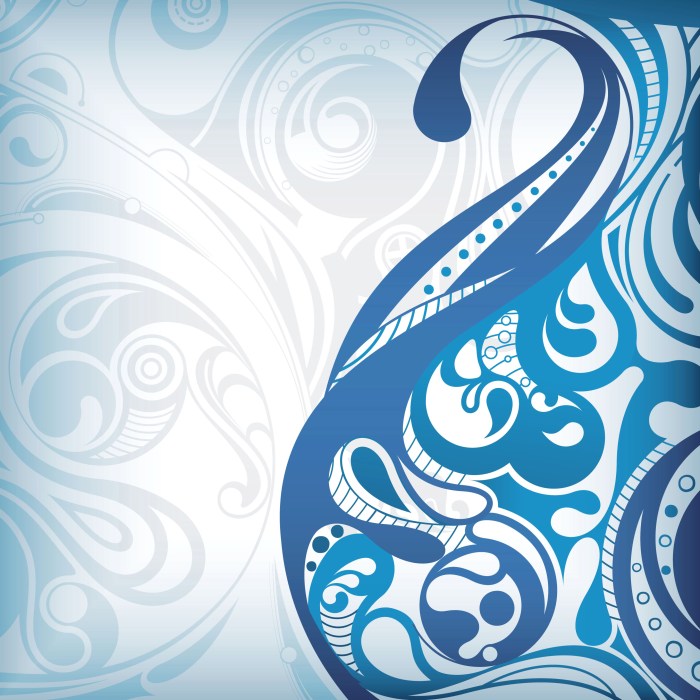
Vector design finds extensive applications across various fields, showcasing its versatility and efficiency in creating high-quality graphics. Let's explore how vector design is utilized in different areas:
Logo Creation
Vector design plays a crucial role in logo creation due to its scalability and precision. Designers can create logos with sharp lines and smooth curves that can be resized without losing quality. This is essential for maintaining brand consistency across various platforms and print materials.
Vector graphics allow for easy editing and customization, making it easier to experiment with different design elements until the perfect logo is achieved.
Web Design
In web design, vector graphics are used to enhance the visual appeal of websites while ensuring fast loading times. Vector images are lightweight and scalable, making them ideal for responsive web design. Icons, illustrations, and other graphic elements created in vector format can adapt to different screen sizes without losing clarity or sharpness.
This flexibility allows designers to create engaging and dynamic web experiences that are visually appealing across devices.
Typography and Illustration
Vector design is widely used in typography and illustration to create intricate and detailed artwork. Designers can manipulate anchor points and paths to craft unique letterforms and illustrations with precision. Vector graphics enable the creation of complex shapes and patterns that can be easily edited and modified.
Whether it's designing custom fonts or creating captivating illustrations, vector design provides the tools and flexibility needed to bring creative ideas to life.
Closing Notes
As we conclude our exploration of vector design, it becomes clear that this innovative approach revolutionizes the way we perceive graphic design. With its versatility and scalability, vector design opens doors to a world where creativity knows no bounds. Embrace the power of vectors and elevate your design game to new heights.
Essential FAQs
What is the main difference between vector and raster images?
Vector images are based on mathematical equations and can be scaled infinitely without losing quality, while raster images are composed of pixels and can lose quality when enlarged.
Which software is commonly used for vector design?
Popular software for vector design includes Adobe Illustrator, CorelDRAW, and Inkscape.
How is vector design utilized in typography?
Vector design plays a crucial role in typography by allowing designers to create scalable fonts with crisp edges and smooth curves.