Embark on a journey into the realm of UI design, where creativity meets functionality to shape digital experiences unlike any other. From the basic principles to the latest trends, this guide will immerse you in the art of crafting captivating user interfaces.
User interface design, often abbreviated as UI design, plays a crucial role in shaping the way we interact with digital products. It encompasses everything from the layout of buttons to the choice of colors, ultimately influencing user experience and engagement.
In this guide, we will delve into the intricacies of UI design, exploring its importance, principles, elements, tools, and emerging trends.
Introduction to UI Design
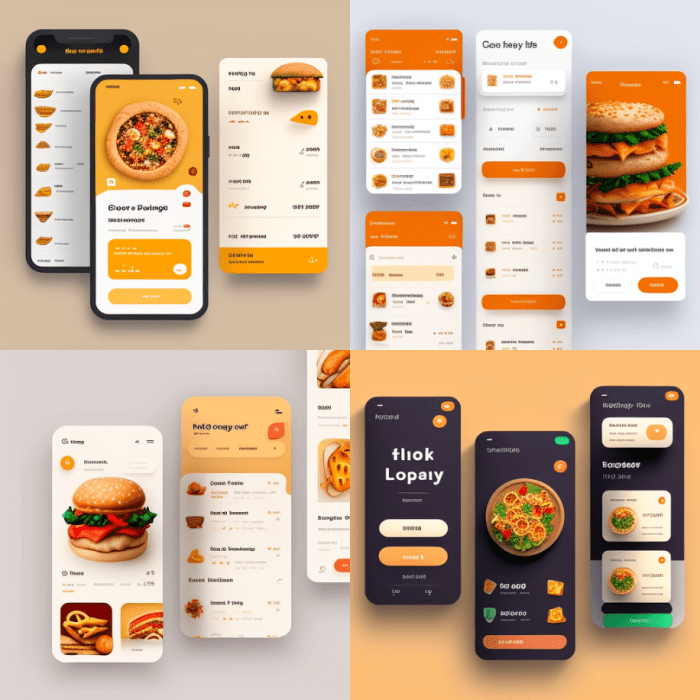
User Interface (UI) design plays a crucial role in the success of digital products by enhancing the overall user experience and engagement. A well-designed UI not only makes the product visually appealing but also ensures that users can easily navigate through the interface to accomplish their tasks efficiently.
Examples of Well-Designed User Interfaces
- Instagram: The simple and intuitive design of Instagram allows users to easily scroll through their feed, like photos, and post their own content without any confusion.
- Google Maps: The clean and organized interface of Google Maps provides users with clear directions, real-time traffic updates, and various location-based services in a user-friendly manner.
- Apple Music: With its sleek and visually appealing UI, Apple Music offers users a seamless music streaming experience with easy access to personalized playlists and recommendations.
Impact of Good UI Design on User Experience and Engagement
Good UI design directly impacts user experience by ensuring that users can quickly understand how to interact with the product, leading to increased engagement and satisfaction. A visually appealing and user-friendly interface can significantly reduce user friction, encourage exploration of features, and ultimately drive user retention and loyalty.
Principles of UI Design
User Interface (UI) design is guided by several key principles that help create intuitive and user-friendly interfaces. These principles ensure that the design is not only aesthetically pleasing but also functional and easy to navigate.
Consistency
Consistency in UI design refers to maintaining uniformity in elements such as colors, fonts, and layout across the interface. This helps users predict how elements will behave and enhances usability.
Hierarchy
Hierarchy in UI design involves organizing elements in a way that clearly communicates their importance. By establishing a visual hierarchy, users can easily identify the most critical information on a page.
Feedback
Feedback in UI design is crucial for providing users with information about their actions. Whether it's a change in color when a button is clicked or a success message after completing a task, feedback guides users through the interface.
User-Centered Design
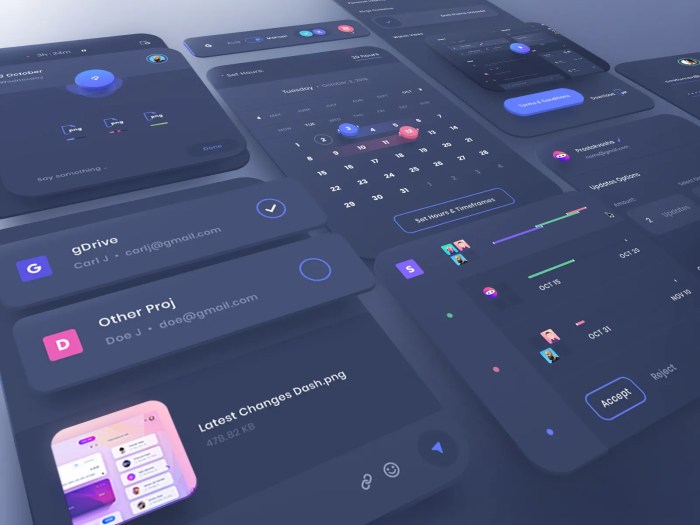
User-centered design is a philosophy that prioritizes the needs and preferences of the end user throughout the design process. By involving users in the design and testing phases, designers can create interfaces that truly meet user expectations and improve overall user experience.
UI Design Patterns
UI design patterns are reusable solutions to common design problems. They help designers create familiar and consistent interfaces for users. Let's compare and contrast a few popular UI design patterns:
Cards
Cards are a versatile design pattern used to organize content into bite-sized, visually appealing chunks. They are commonly seen in social media feeds, e-commerce websites, and news platforms.
Sliders
Sliders are interactive elements that allow users to scroll through content horizontally or vertically. They are often used to showcase images or featured products on websites.
Modals
Modals are pop-up windows that overlay the main content to grab users' attention. They are commonly used for alerts, notifications, or displaying additional information without navigating away from the current page.
UI Design Elements
UI design elements are crucial components that contribute to the overall usability and aesthetics of a digital interface. They include buttons, input fields, navigation menus, typography, color schemes, icons, images, and animations.
Buttons, Input Fields, and Navigation Menus
Buttons, input fields, and navigation menus are essential interactive elements in UI design. Buttons are used to trigger actions, input fields allow users to enter information, and navigation menus help users navigate through the interface seamlessly.
- Buttons: Buttons should be visually distinguishable and clearly labeled to indicate their purpose. They should be easily clickable and responsive to user interaction.
- Input Fields: Input fields should have clear labels and provide feedback to users when input is required. They should also be designed to accommodate various types of input, such as text, numbers, or selections.
- Navigation Menus: Navigation menus should be organized logically and intuitively to help users find information easily. They should be visible and accessible from any page within the interface.
Typography and Color Schemes
Typography and color schemes play a significant role in establishing the visual hierarchy and branding of a UI design.
- Typography: The choice of fonts, sizes, and styles can impact the readability and overall aesthetic of the interface. Consistent typography helps establish a cohesive design language.
- Color Schemes: Colors evoke emotions and convey meaning in UI design. A well-chosen color scheme can enhance usability, guide user interactions, and reinforce brand identity.
Visual Elements: Icons, Images, and Animations
Visual elements like icons, images, and animations contribute to the overall user experience by providing visual cues and enhancing engagement.
- Icons: Icons are symbolic representations of actions or concepts that help users quickly understand functionality. They should be simple, recognizable, and consistent throughout the interface.
- Images: Images can enhance the visual appeal of a UI design and communicate information effectively. They should be high-quality, relevant, and used purposefully to support content.
- Animations: Animations can add interactivity and delight to the user experience. They should be used sparingly and purposefully to provide feedback, guide user attention, or create a sense of continuity.
UI Design Tools
When it comes to UI design, having the right tools can make a significant difference in the efficiency and quality of your work. Here are some popular tools used by designers:
Sketch
Sketch is a widely-used tool in the UI design community known for its intuitive interface and powerful features. It allows designers to create high-fidelity designs with ease and offers a wide range of plugins to enhance workflow.
Adobe XD
Adobe XD is another popular choice for UI design, especially for those already familiar with Adobe's suite of products. It offers seamless integration with other Adobe software and provides robust prototyping capabilities.
Figma
Figma is a collaborative design tool that has gained popularity for its cloud-based platform, allowing multiple users to work on the same project simultaneously. It offers real-time collaboration features and a robust set of design tools.Using prototyping tools in the UI design process can bring several benefits, such as:
- Testing and validating design concepts before implementation
- Gathering feedback from stakeholders and users early in the process
- Saving time and resources by identifying and addressing potential issues upfront
Each UI design software has its unique features and strengths, making them suitable for different types of projects. Designers should consider factors like collaboration capabilities, ease of use, and integration with other tools when choosing the right software for their projects.
Trends in UI Design
UI design trends are constantly evolving to meet the changing needs and preferences of users. Let's explore some of the current trends shaping the world of UI design.
Dark Mode
Dark mode has gained popularity in recent years for its sleek and modern look. It reduces eye strain and conserves battery life, making it a favorite among users who prefer a more subdued color scheme.
Neumorphism
Neumorphism is a design trend that incorporates elements of skeuomorphism and flat design to create a soft, 3D effect. It adds depth and realism to interfaces, making them more visually appealing and engaging.
Minimalist Interfaces
Minimalist interfaces focus on simplicity and functionality, stripping away unnecessary elements to create a clean and uncluttered user experience. This trend emphasizes clear typography, ample white space, and intuitive navigation.
Influence of Mobile-first Design and Responsive Design
Mobile-first design and responsive design have had a significant impact on UI trends. With the increasing use of mobile devices, designers prioritize creating interfaces that are optimized for smaller screens and touch interactions. Responsive design ensures that UI elements adapt seamlessly to different screen sizes and devices.
Predictions for Upcoming UI Design Trends
As technology continues to advance, we can expect to see AI-driven design solutions, voice interfaces, and augmented reality experiences shaping the future of UI design. These emerging technologies will revolutionize the way users interact with digital interfaces, creating more personalized and immersive experiences.
Final Summary
As we conclude this journey through the world of UI design, one thing becomes clear: the impact of a well-crafted user interface goes far beyond aesthetics. It has the power to enhance user experience, drive engagement, and set trends in the ever-evolving digital landscape.
Whether you're a seasoned designer or a curious enthusiast, the principles and trends discussed here are sure to inspire your next creative endeavor.
Question & Answer Hub
What makes a user interface design effective?
An effective UI design focuses on creating a seamless and intuitive user experience by prioritizing usability and visual appeal.
How important is user-centered design in UI design?
User-centered design places the user at the center of the design process, ensuring that products meet user needs and preferences effectively.
Which UI design tool is best for beginners?
Adobe XD is often recommended for beginners due to its user-friendly interface and robust features tailored for UI design.
What are some emerging UI design trends to watch out for?
Embracing dark mode, experimenting with neumorphism, and simplifying interfaces with minimalism are some of the emerging trends in UI design.